How to Create and Publish Product Page Stories
Adding Stories to Product Pages (PDP)
PDP Stories allow you to display shoppable video stories directly on your Shopify product pages. This helps customers see products in action before purchasing.
Step 1: Open the Theme Editor
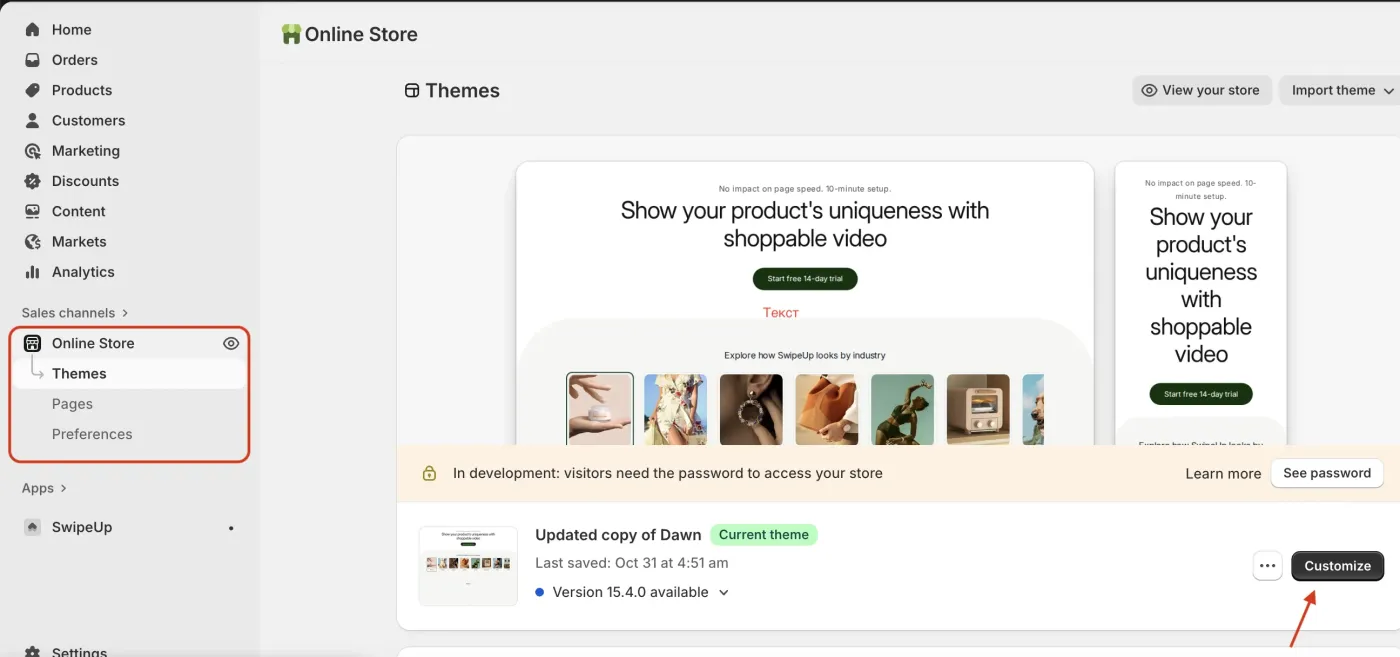
From your Shopify admin, go to Online Store > Themes and click Customize. Navigate to a product page template.
Step 2: Add a New Section
Click Add section in the left sidebar to browse available sections for the product page.
Step 3: Search for SwipeUp
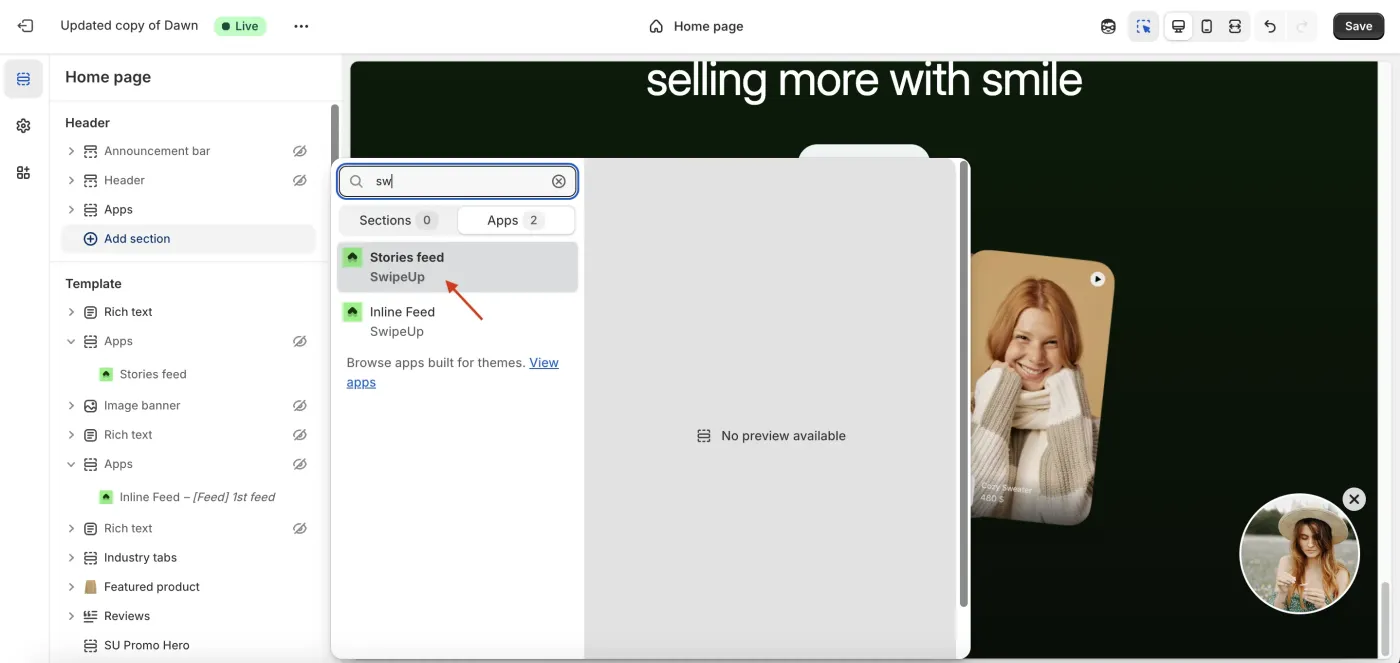
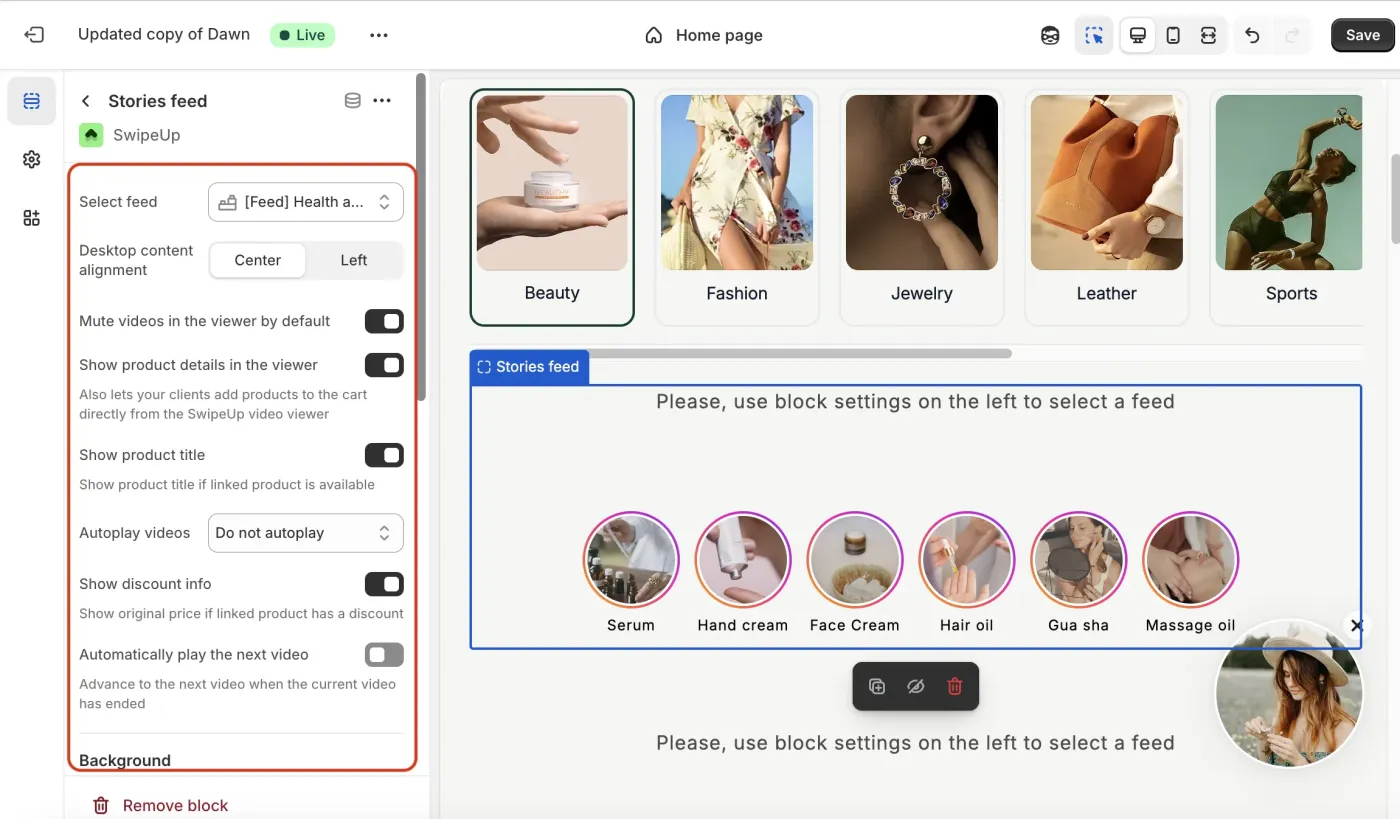
In the section picker, search for SwipeUp and select the Stories Feed option to add it to your product page.
Step 4: Select Your Feed
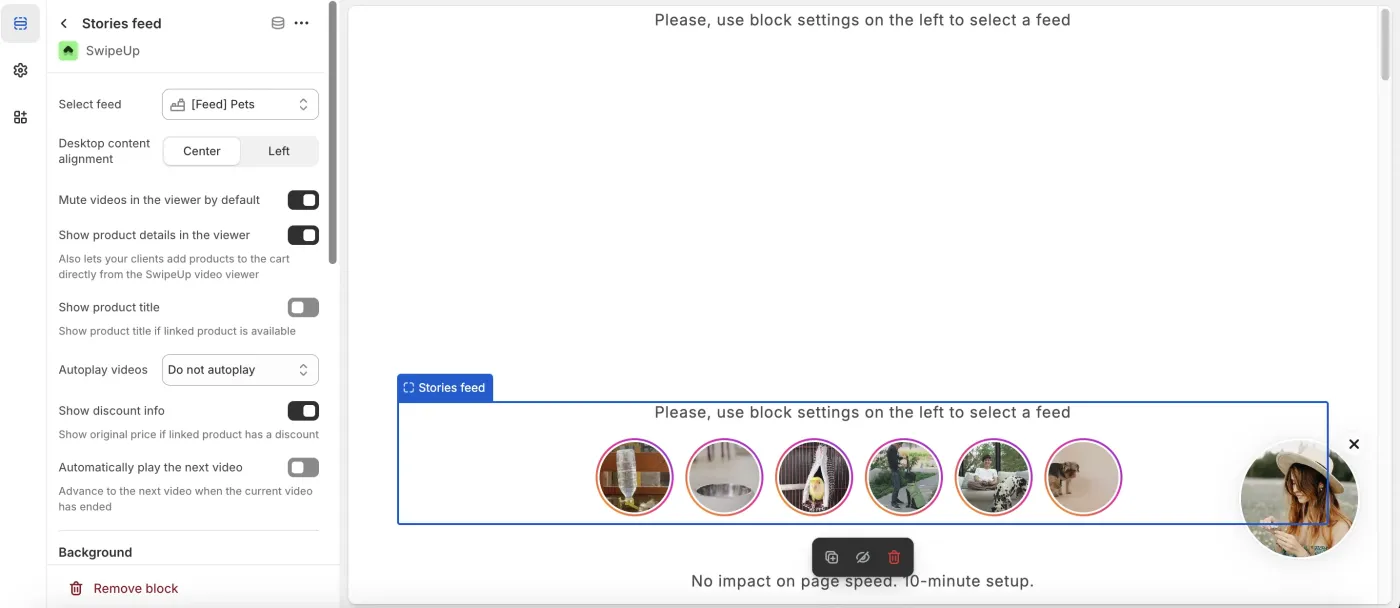
Choose the feed you want to display on your product pages from the dropdown menu. Make sure the feed contains reels relevant to the products on those pages.
Step 5: Adjust Appearance
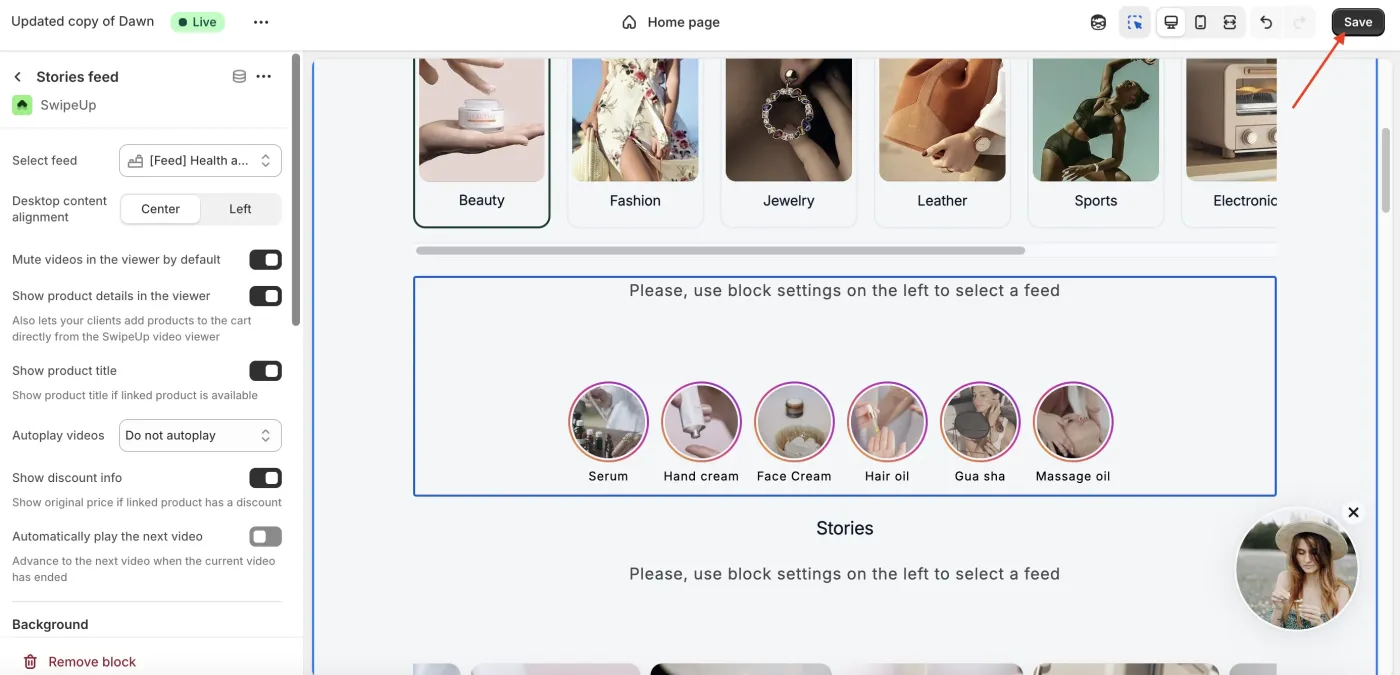
Customize the Stories widget appearance including thumbnail shape, sizing, spacing, and labels to ensure it fits your product page layout.
Step 6: Save
Click Save to publish the PDP Stories section. Your Stories will now appear on your product pages.