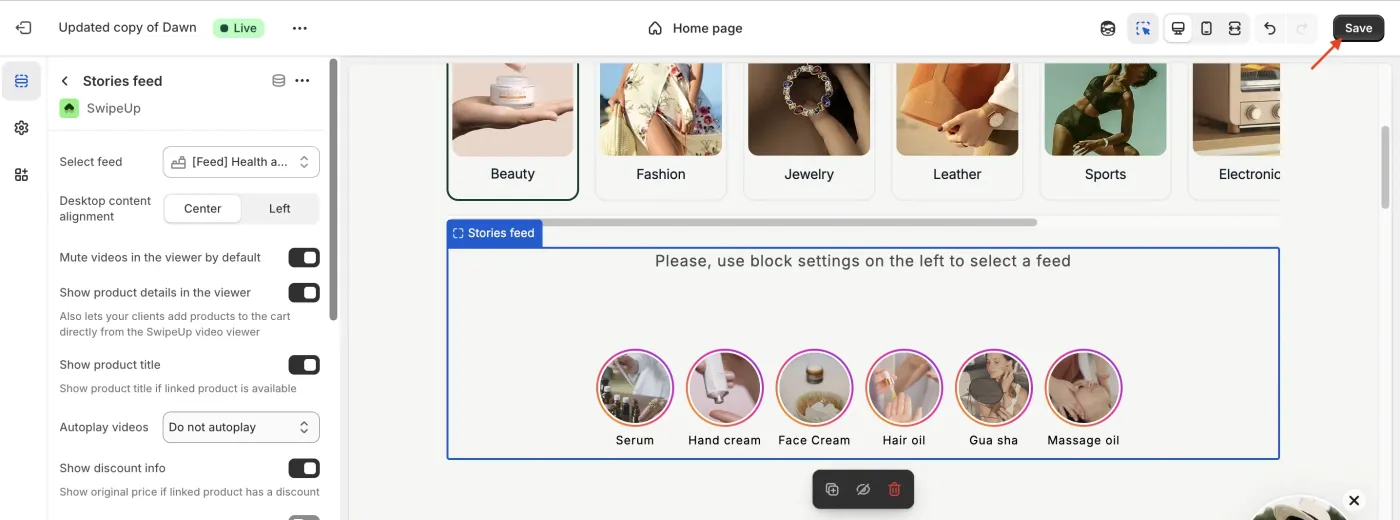
Adding Custom CSS to Your SwipeUp Media Gallery
Adding Custom CSS to SwipeUp
If you need more control over the look and feel of your SwipeUp video gallery, you can add custom CSS through the Shopify Theme Editor.
Step 1: Open the Theme Customizer
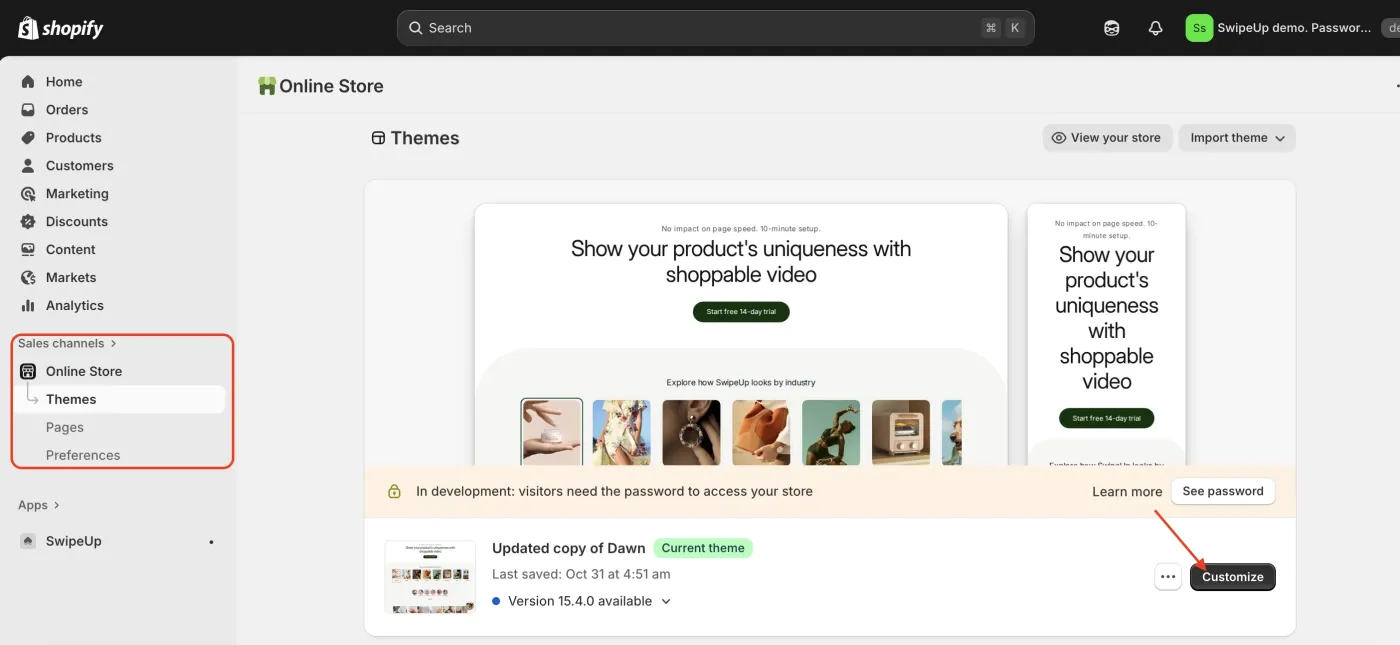
From your Shopify admin, go to Online Store > Themes and click Customize to open the Theme Editor.
Step 2: Select the SwipeUp Block
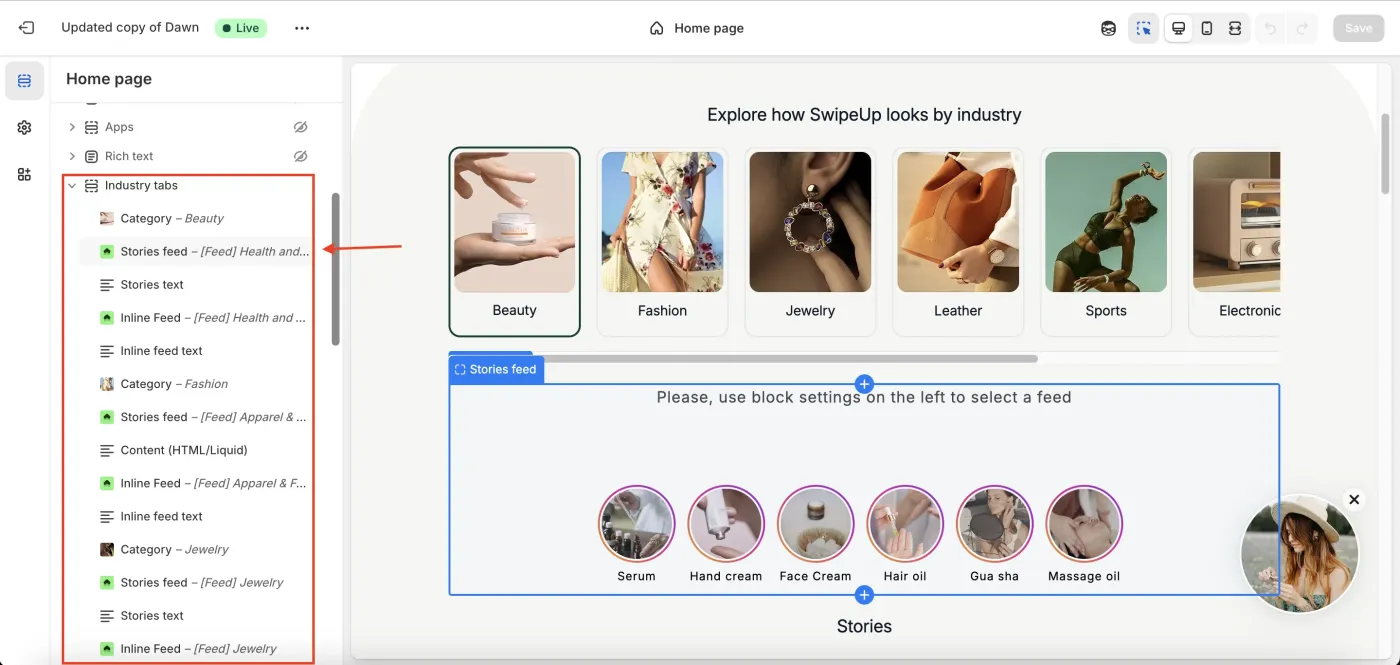
In the Theme Editor sidebar, locate and click on the SwipeUp section or block you want to style.
Step 3: Open the Custom CSS Field
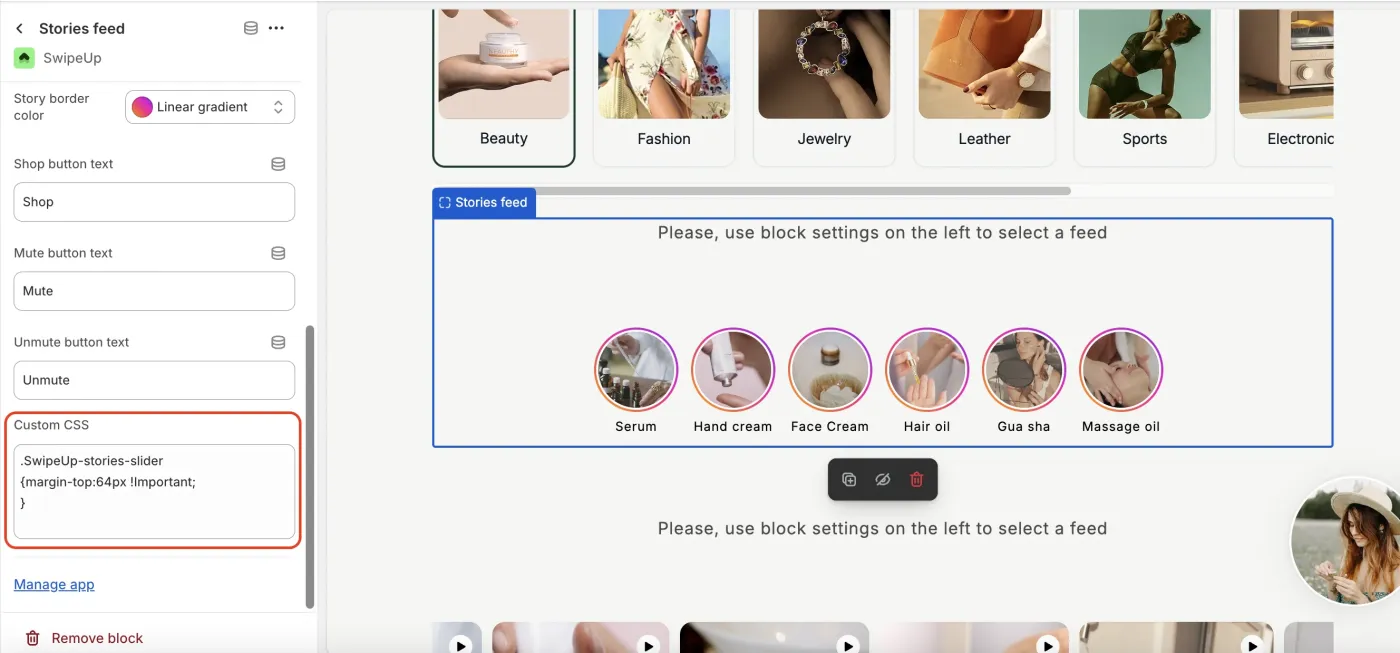
Scroll down in the block settings to find the Custom CSS field. This field accepts standard CSS that will be scoped to the SwipeUp widget.
Step 4: Paste Your CSS
Enter or paste your custom CSS code into the field. Your styles will override the default SwipeUp styling for this section. For example:
.swipeup-thumbnail {
  border-radius: 12px;
  border: 2px solid #e0e0e0;
}
Step 5: Save
Click Save in the Theme Editor to apply your custom CSS. Refresh your storefront to verify the changes.