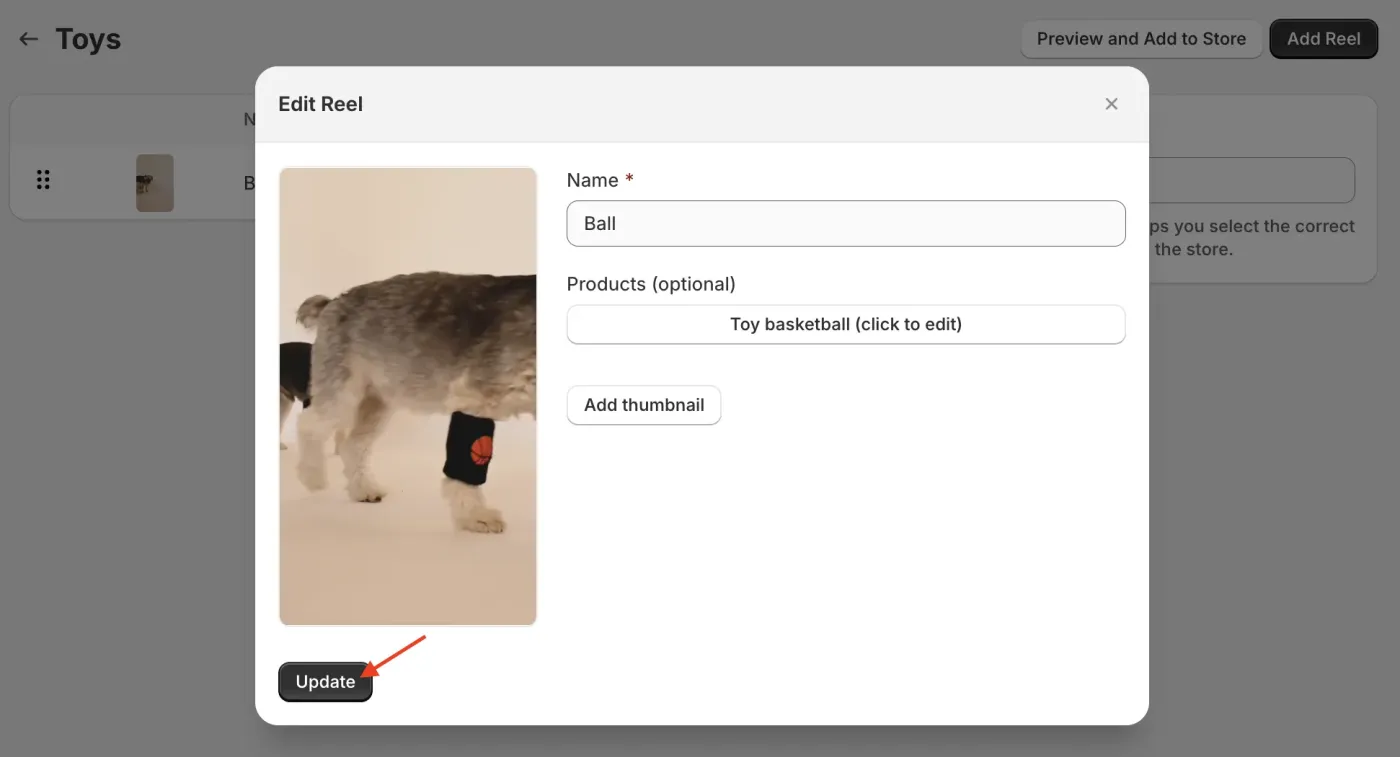
How Do I Add Products in a Shoppable SwipeUp?
Adding Products to a Shoppable Video
Make your SwipeUp videos shoppable by linking Shopify products directly to your reels. Customers can browse and purchase tagged products while watching your videos.
Step 1: Open Your Feed
Open the SwipeUp app and select the feed that contains the video you want to make shoppable.
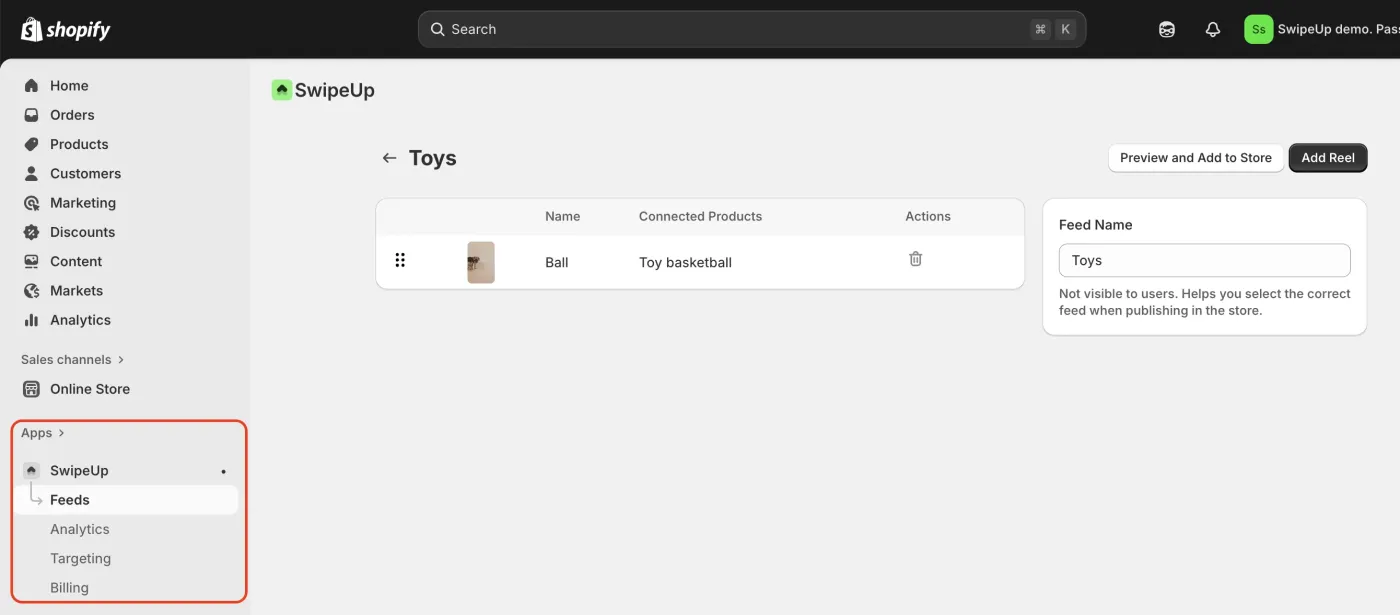
Step 2: Edit the Reel
Click on the reel you want to edit and select the Edit option to open the reel editor.
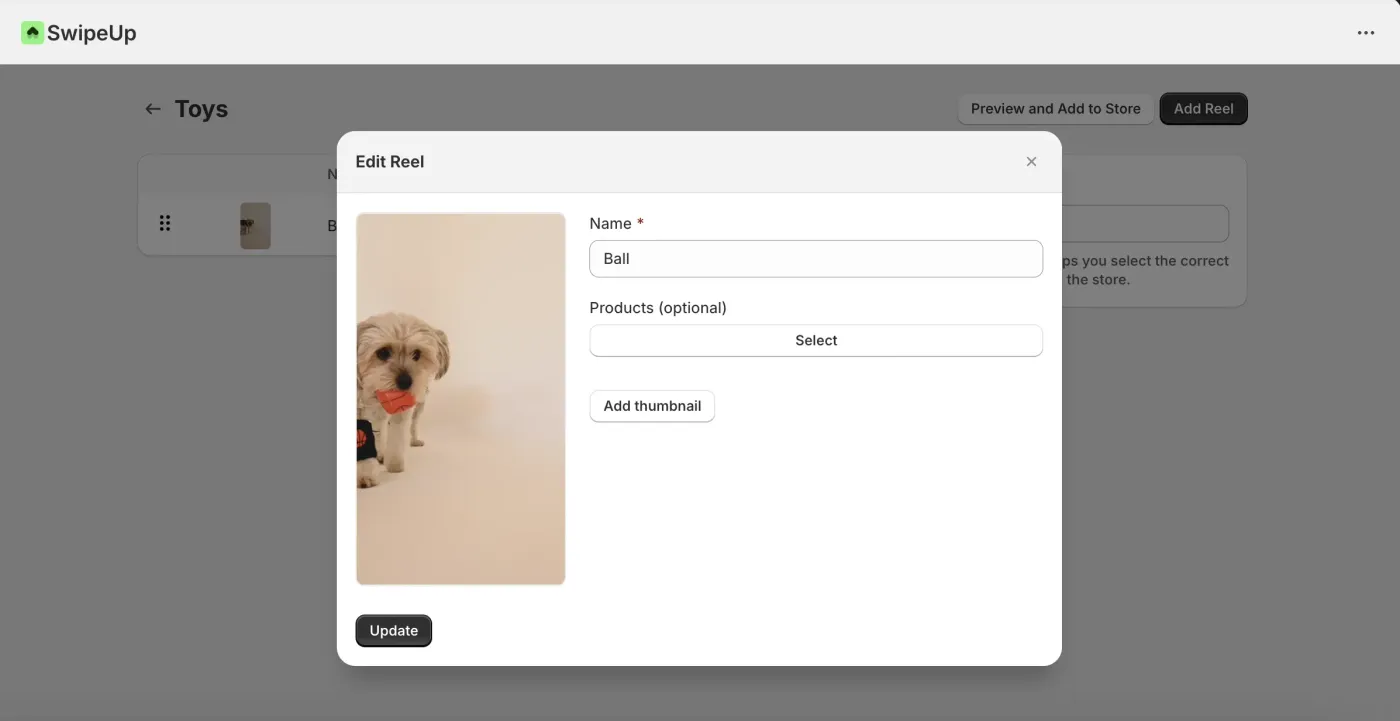
Step 3: Add Products
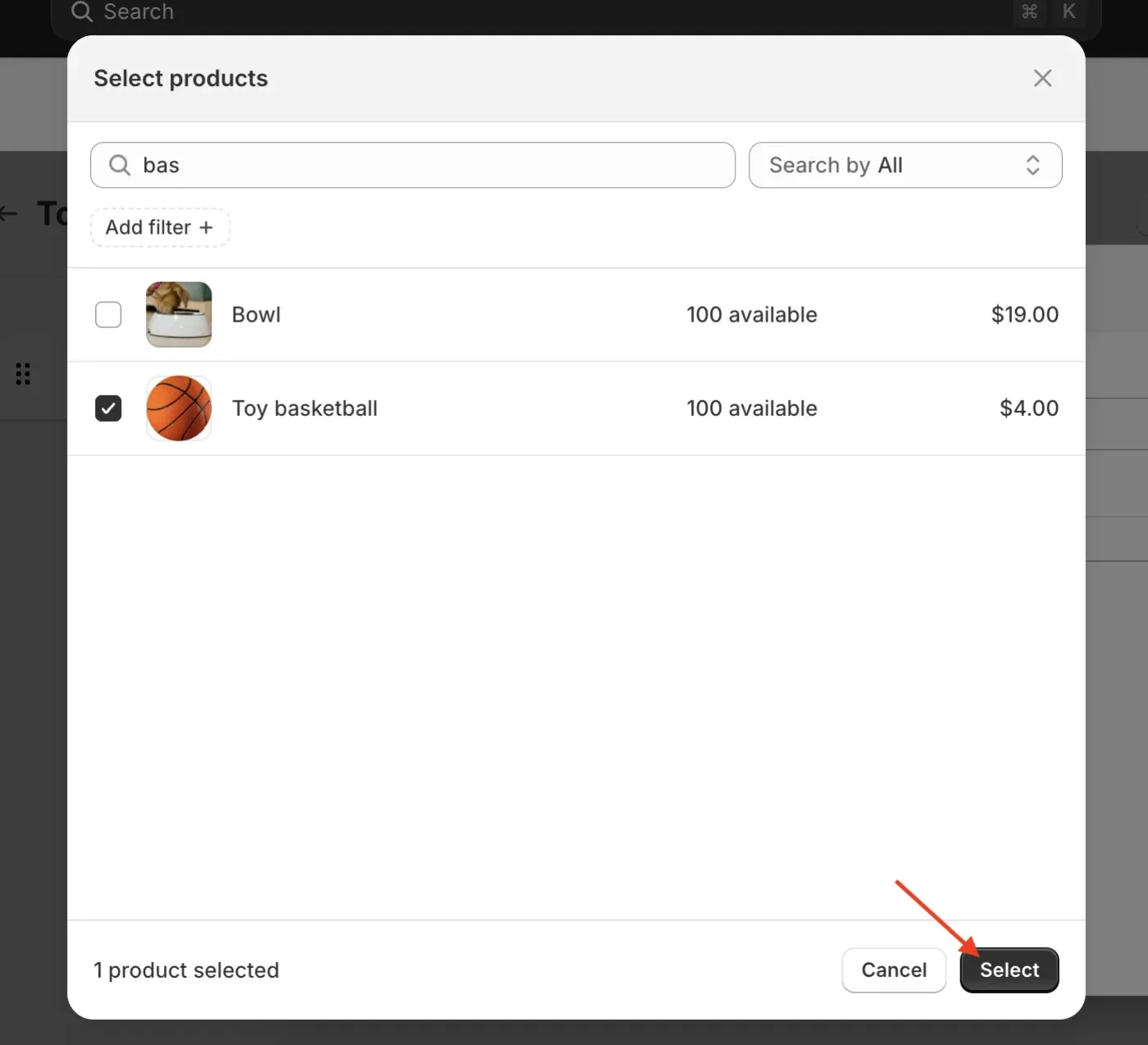
Click Add Product to open the product selector. Browse or search your Shopify product catalog and select the products you want to link to this video.
Step 4: Confirm and Save
Review the product panel to verify that the correct products are linked. Click Save to apply your changes. The tagged products will now appear as shoppable items when customers watch the video.